Darshan Tech Solution
How to Re-Print Smart Ration Card
YouTube Video
Reprint Smart Ration Card
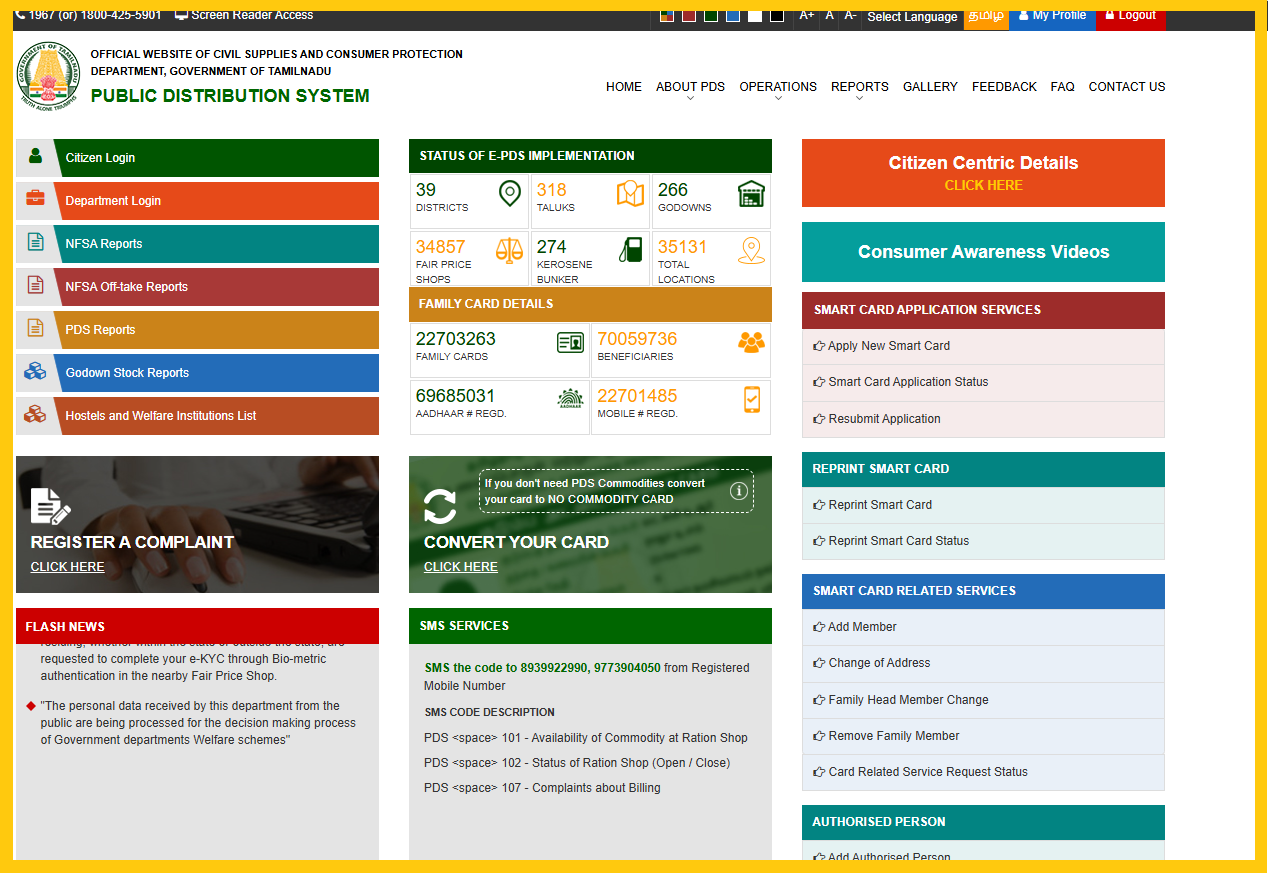
1. Visit the TNPDS official website at TNPDS website and then click Citizen Login.
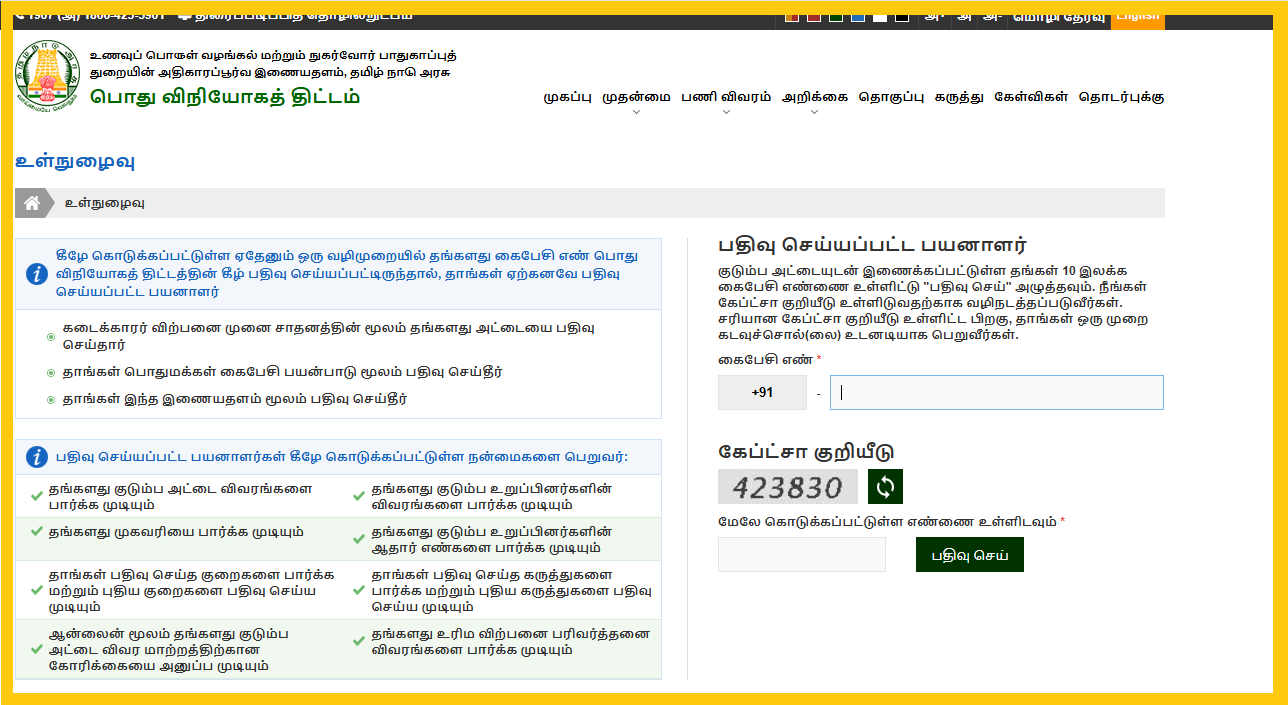
2. Enter register mobile number, captcha code and then click submit
3. After successfully verification. TNPDS home page will Open.
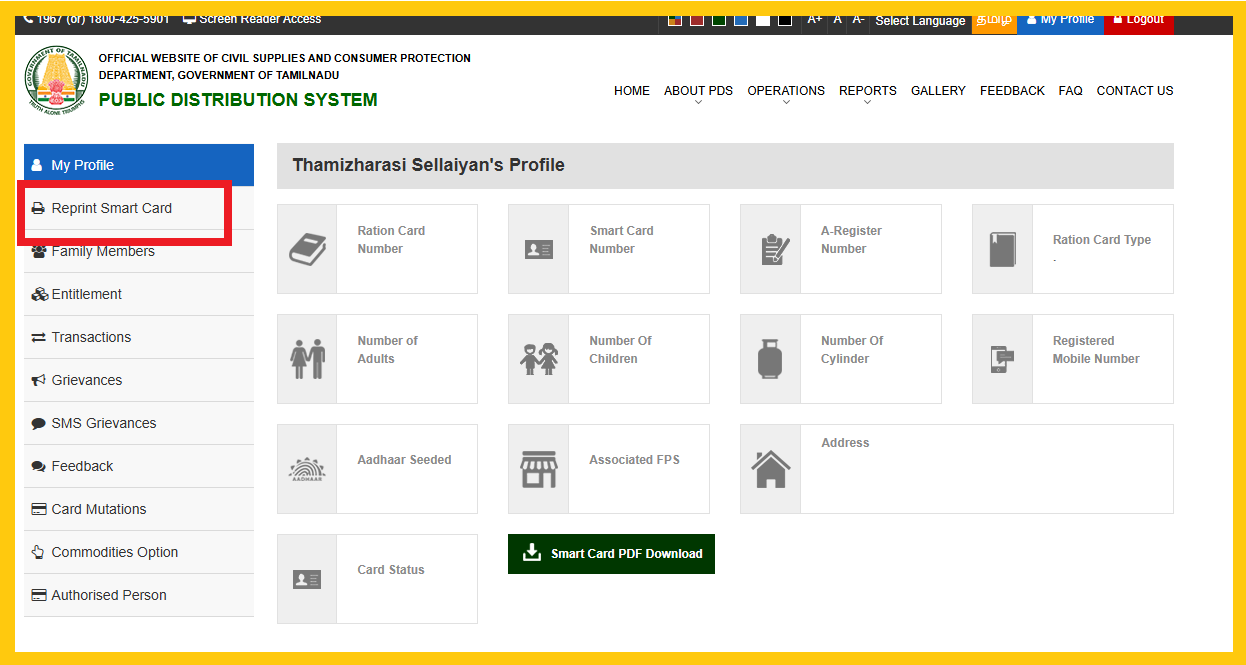
4. On this page reprint smart card option will be available. You can click Re-Print and then New Request
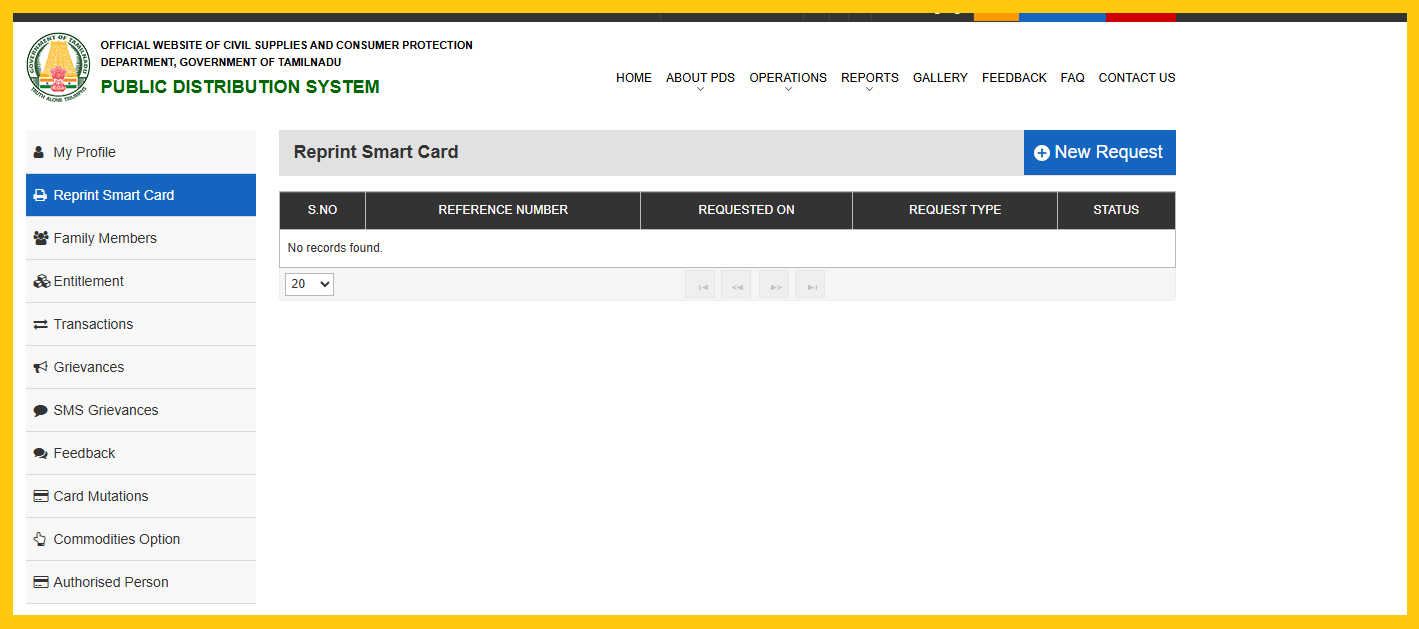
5. Read the instruction for the payment
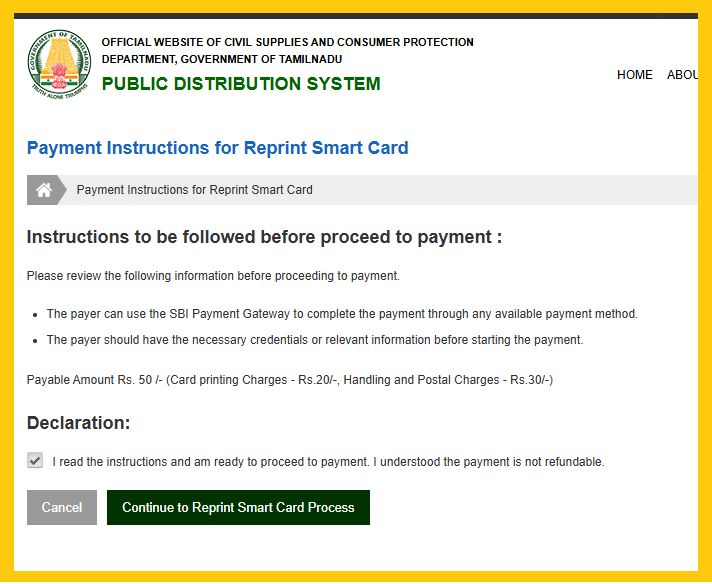
6. After made payment, contact your Taluk Supply Officer, located at your respective taluk office.
Watch on You Tube
TNPDS Other Services
On this TNPDS Website all the services related to smart ration card services available as follows
- Smart Card PDF Download
- Add Member
- Remove Member
- Change of Address
- Family Head Member Change
Follow on my Social Media


