Darshan Tech Solution
How to Download e-Epic Card
YouTube Video
The e-EPIC (Electronic Electoral Photo Identity Card) card is an initiative by the Election Commission of India to provide a digital version of your voter ID card. To download your e-EPIC card online, you can follow these steps:
Method 1: Voter's Service Portal
1. Visit the Voter's Service Portal at https://voters.eci.gov.in/.
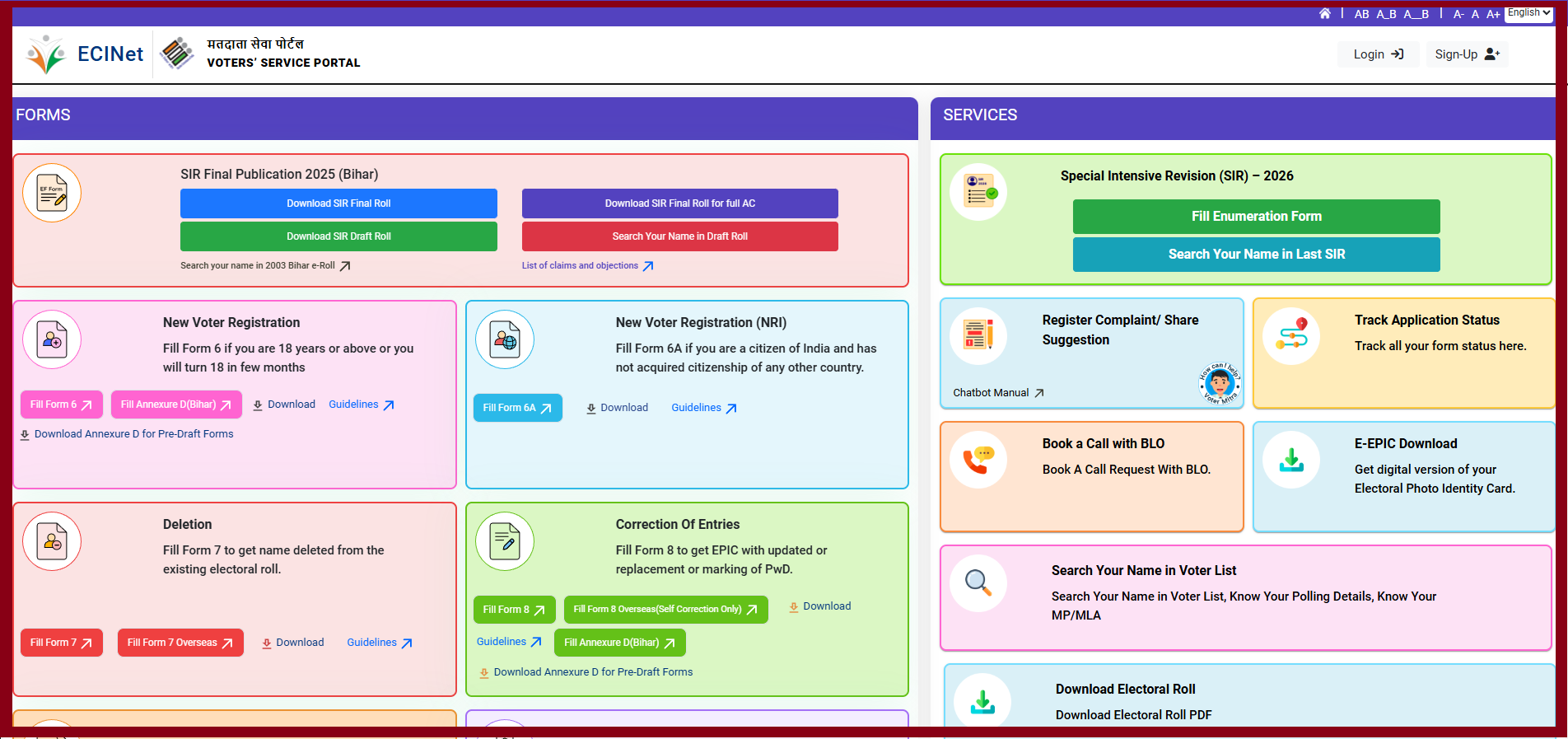
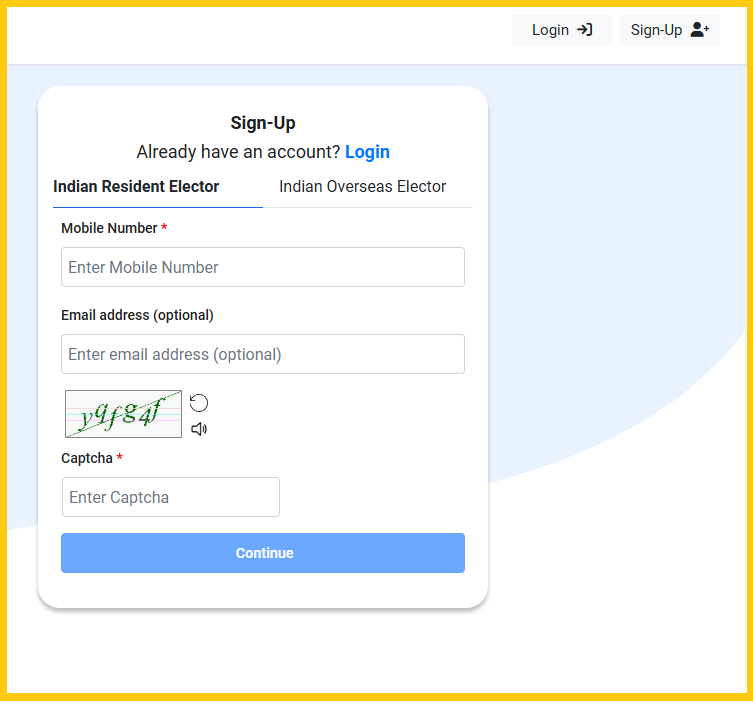
2. Create account using signup and then login with the credentials.
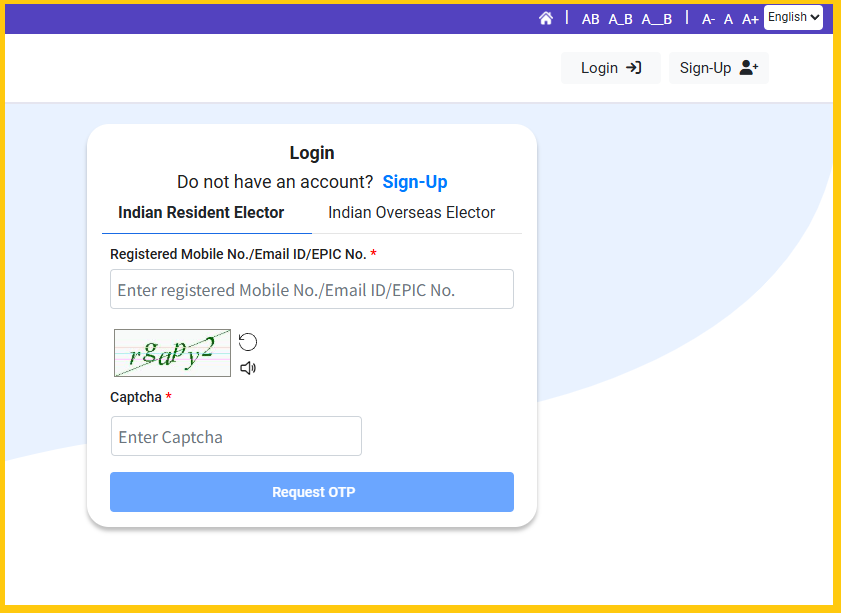
3. After logging in, you will see an option to "Download e-EPIC." Click on it.
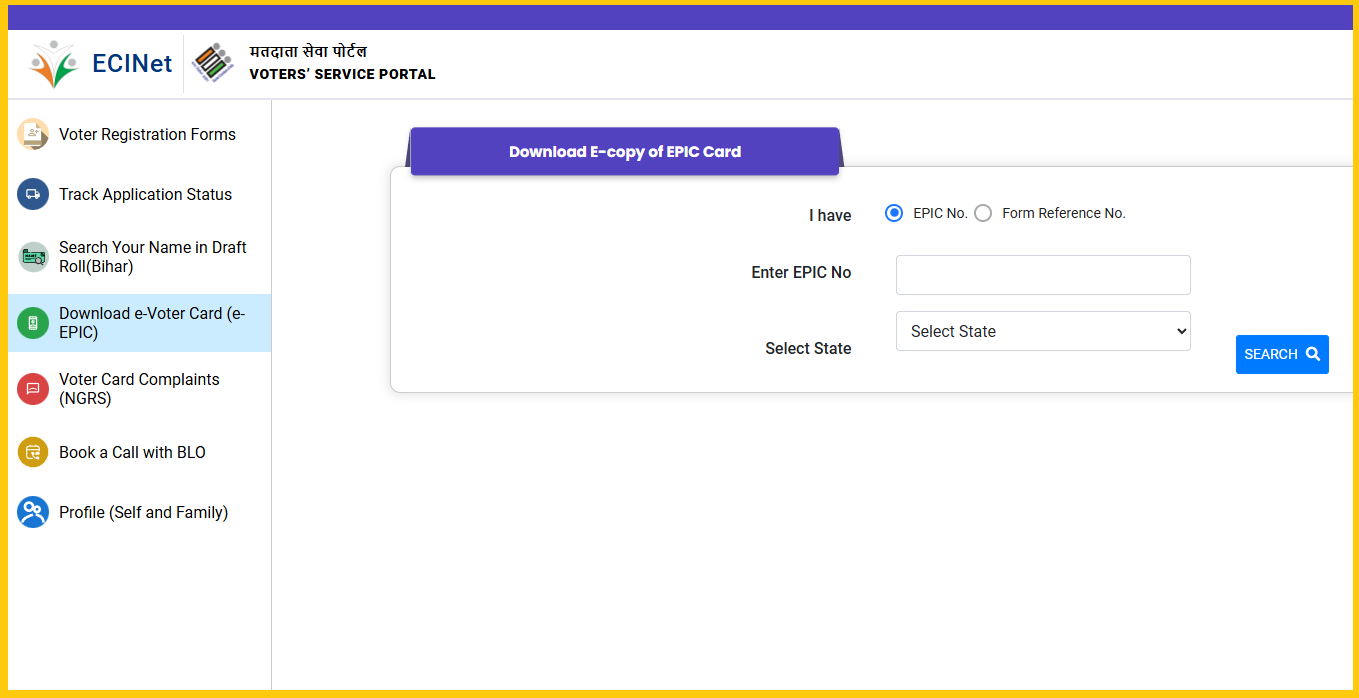
5. You will need to enter your EPIC number and State.
6. Verify your identity by entering the OTP (One-Time Password) sent to your registered mobile number.
7. Once the OTP is successfully verified, you will be able to download your e-EPIC card in PDF format.
Watch on You Tube
Method 2: Voter Helpline App
1. Download and install the Voter Helpline App on your mobile device. It's available on Google Play Store and the Apple App Store.
2. Open the app and log in or register if you don't have an account.
3. After logging in, navigate to the "Download e-EPIC" option.
4. Enter your EPIC number or Aadhaar number or Voter ID card number.
5. Verify your identity using the OTP sent to your registered mobile number.
6. Download your e-EPIC card.
Please note that the availability and specific methods for downloading the e-EPIC card may vary by region and may have been updated since my last knowledge update. Ensure that you follow the guidelines and requirements provided by the Election Commission of India or the relevant authorities in your state or union territory. Additionally, make sure you have a valid mobile number and have linked it to your voter ID for OTP verification.
Follow on my Social Media


