Darshan Tech Solution
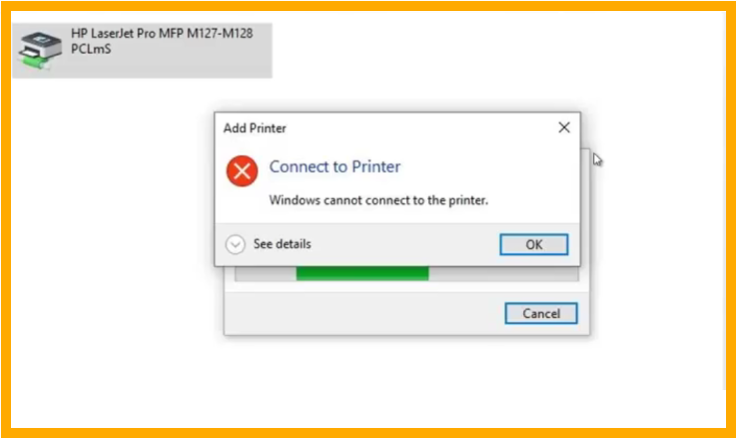
Windows cannot connect to the Printer - Error 0X0000011b
YouTube Video
Solution for Windows cannot connect to the Printer Error code 0X0000011b - Shared Printer Connecting Issue
Shared printer is unable to connect for differenty types of Operating System. i.e., The share printer is unable to connect between Windows 10 and Windows 11. Here are the steps to follow to connect the shared printer for different operating systems.
1. Open Run Command (Win Key + R ) in Host Machin. (Printer is directly connected to the system)
2. Type regedit
3. Expand the path
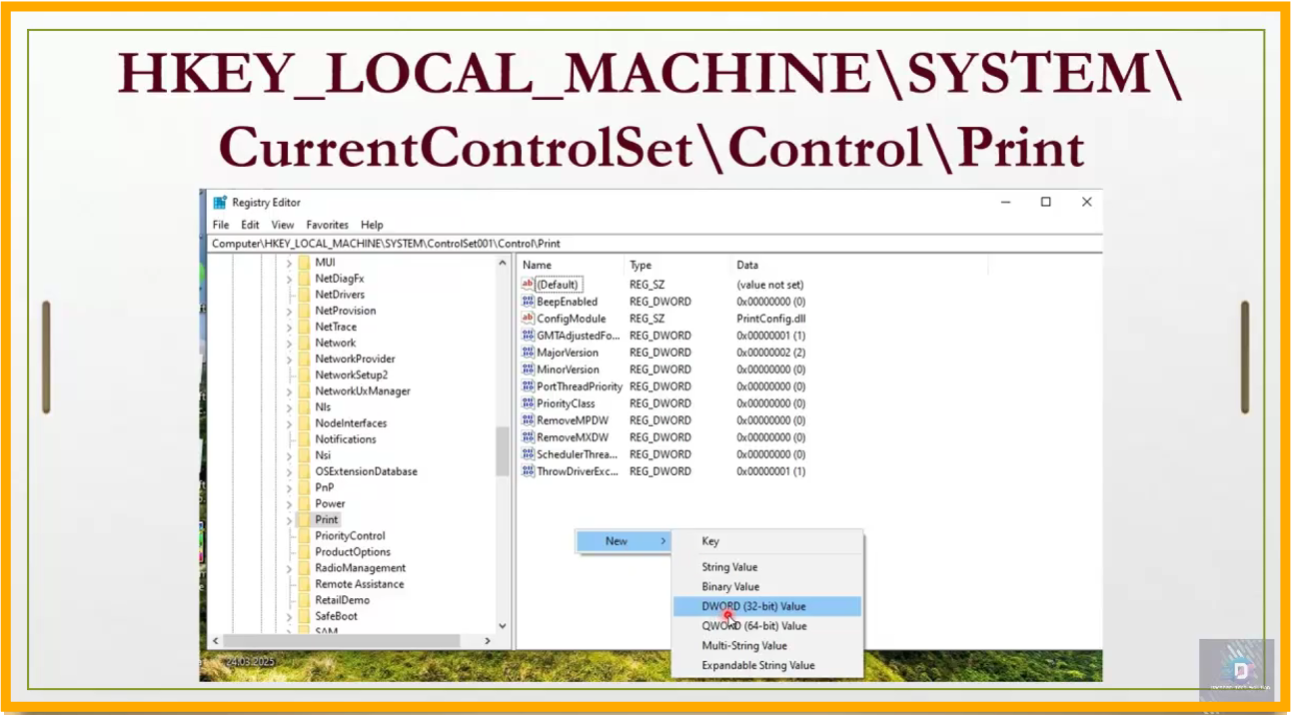
Computer\HKEY_LOCAL_MACHINE\ SYSTEM\CurrentControlSet\ Control\Print
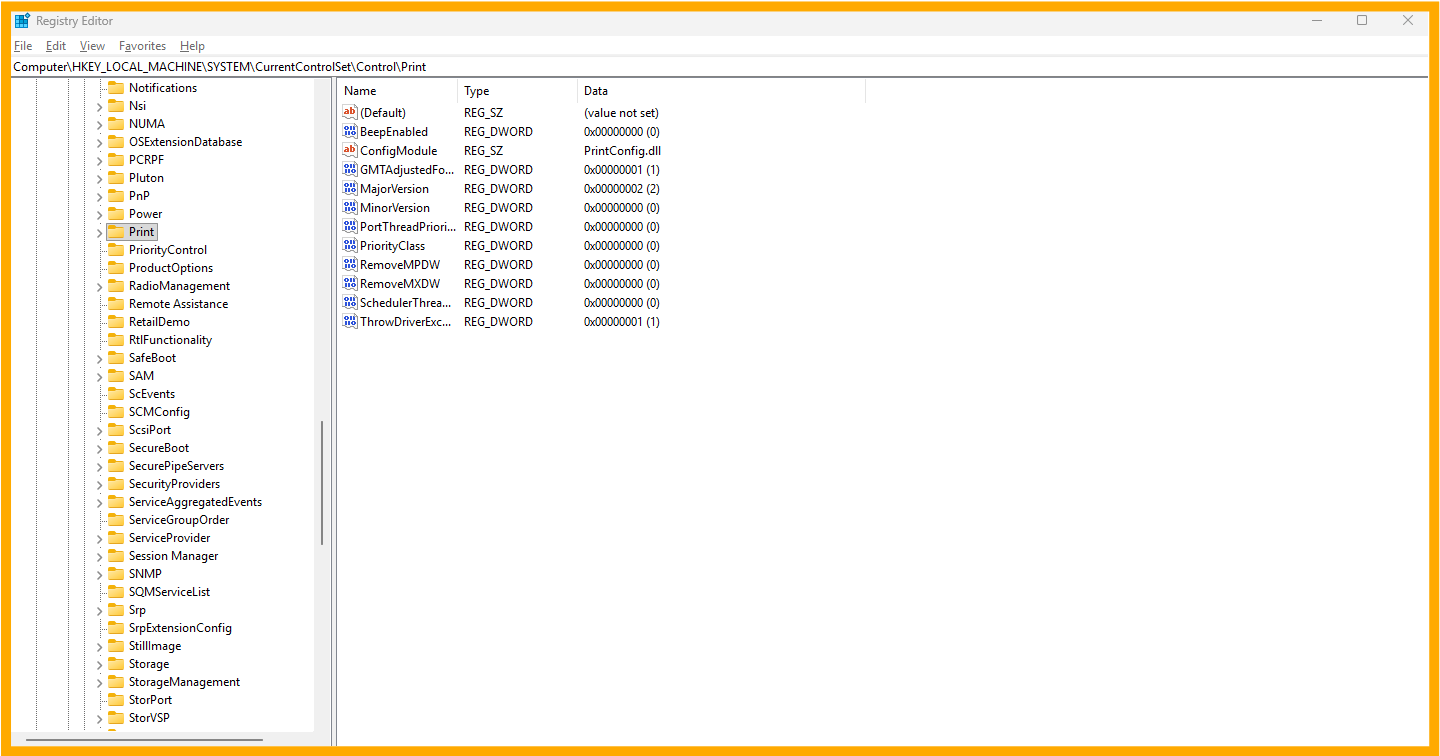
- Right Click then New-->DWORD (32-bit)Value
- Type the key Value same what i'm typing here RPCAuthnLevelPrivacyEnabled and set value 0
- Open Services.msc find the Printer spooler, Restart the services.
- Thats All
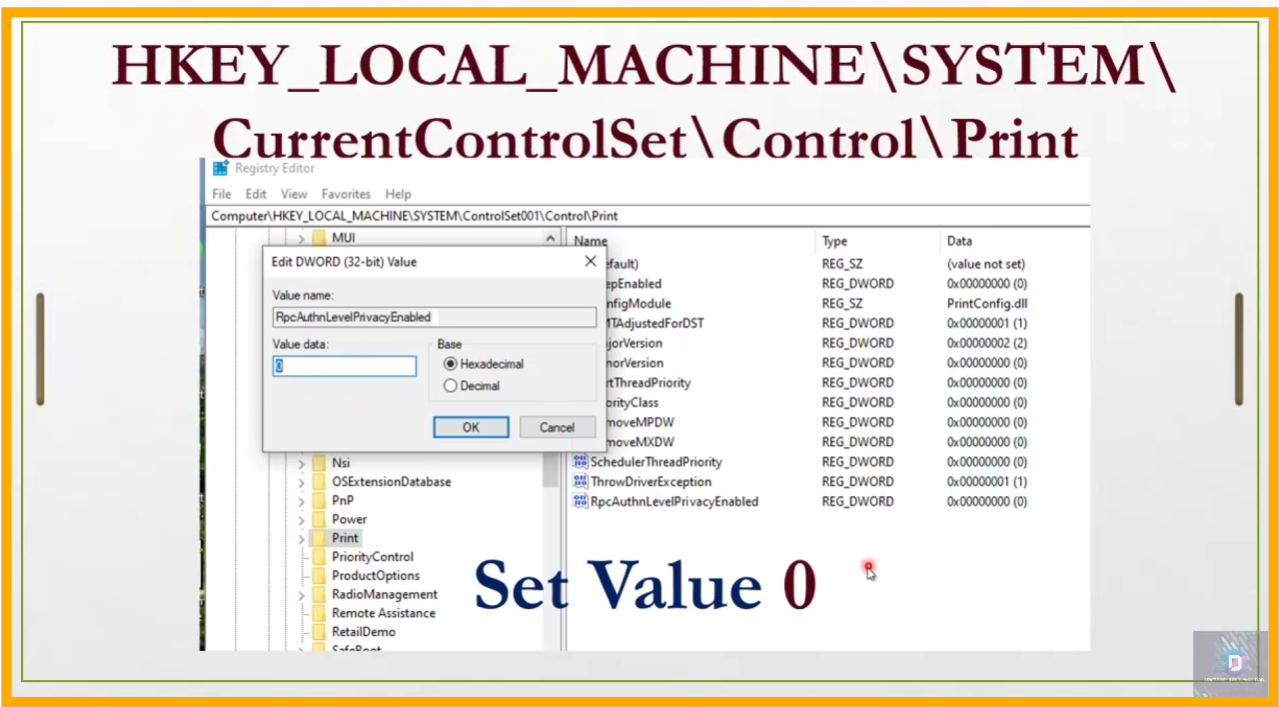
Restrat the Computer. After restart the shared printer can be connect
Watch on You Tube
Follow on my Social Media


